Saturday, 6 November 2021

Analytics, Interesting Ponderings and More Work To Do

OK, so I have been very busy with all kinds of things, which is great, and what is even better is 1.17 M:EE finally dropped. Which means I was able to release the 3rd video in the tutorial series.


One thing I have really enjoyed is watching the analytics of these new style tutorial videos and seeing whether all the effort, work, scoping, recording, scripting and editing is paying off for my viewers. I am glad to say it looks to be, with a very small sample, and a relatively short period of time.

Normally, and this is the reason I was exploring this as part of my masters degree, the viewer retention on my tutorial videos hovers around 10%, which means viewers, on average watch one tenth of the video I publish. What I am seeing with the current 2 videos is viewer retention over 30% and 40%. Which is still not what I would love, but it is proportionally longer even if the actual view time is less. Which is an interesting thing to think about, are viewers watching more, or less? They are watching more of a shorter video, but what is the impact on the actual time they are watching? Viewer feedback has been fairly positive, with people saying that they are able to follow along for the most part.

I am still 'iterating' on my process, and while I have not got anywhere near having video 4 ready to publish, for video 5 I am doing a bit of light video editing while I write the script, which I am hoping will make the final editing process a fair sight easier, but we will have to wait and see. I am really enjoying the whole process still, which is positive, but time is also getting harder to find, but I really want to get the whole series of 15 odd videos done before I run out of steam.

Another project I have been working on is the update to classroom management pack to make it better and have more functionality. It is just about ready for release, I just need to tweak one letterbox texture and then record my 'old style' video introducing it, and how to get it working. I have decided to push it out as it stands, even though I have more that I want to do to it, I found a few interesting bugs while trying to polish it for release. I also found that you can no longer 'hide' functions from users by putting an error in them within EE. As doing so prevents the game from calling the function at all, which is definitely new behaviour.

A group of us on the discord group started discussing the new features of structure blocks that come along with 1.17, and we collectively figured out a way of possibly transferring builds between worlds 'easily' using these new features. It is going to require a development behaviour pack in your EE install, and that pack being attached to each world you want the structures loaded in, but if we use development folder, users will be easily able to add their own builds do it. I need to explore how this might work on things like iPads which don't necessarily have easy access to the game folders. Also, I don't have a Chromebook to test yet so if you have one and want to help me out, let me know.

I am in the process of thinking about the 'cool' builds that might be useful to have across multiple words to put in this pack and sharing it, and the process to make life easier for those teachers who want to start/continue creating their own content. On that, if you have a build of your own that you think would be beneficial to have in a pack like this, and you are happy to make it available for others (with attribution of course) let me know and we can sort something out.

That's it for now, thanks for reading, as always feel free to leave a comment below, hit me up on twitter or join the mentor discord https://discord.gg/7fSQBdx

Saturday, 9 October 2021

Tutorial Series has Begun!

I finally built up the courage (silly I know) to release the first episode of the new tutorial series that goes alongside the genetics map creation.

This first video is a very quick one, that shows you the tools and software you need to start this process.


What I have found most difficult with this series is finding the time to actually create the videos as I want them to be. I have recorded plenty of footage, deliberately without audio. However, editing that footage and writing a script to go along with it is time consuming. Then taking that one step further and recording the narrative, and then aligning the footage to the script takes even longer.

That being said, I think the quality and ease of use of these videos for their intended purpose is much greater than my previously available tutorials. I have had a couple of people view and provide feedback, with a few tweaks having been made before pushing this video live to YouTube.

If you are interested in how I create my maps, or customise Minecraft and bend it to my educational will, follow along with these tutorials as we create the genetics map. Some of the content will not work until M:EE updates to 1.17, but that should be in the next few weeks hopefully. As always if you have any comments or suggestions, feel free to reach out in the comments section below.

Sunday, 3 October 2021

Classroom Management Pack 2.0 (for 1.17)

I managed to find some time to revisit an old project of mine and apply new learnings and new features to it. My Classroom Management Pack, which was originally released via my YouTube channel April 2019 and had some 'easy' toggles that allow teachers/players to control certain 'educationally distracting/destructive' items that EE didn't allow fine control of.

I have learnt an awful lot about the backend of Minecraft since 2019, and the update I am working on has features I didn't even think would be possible. The one that I am most proud of is the ability for players to 'set a home' and teleport back to that point from anywhere in the world. They can also pick up their 'home' and re-set it elsewhere. The textures are all temporary, and need a bit of work, but I am very pleased with the basic systems in place. 

  The 'home' is a letterbox (currently textured in pastels) and the 'go home' is the big purple ring on the right side of the screen. As I said, the textures need some work.

Putting in the 'safety' features was a fun problem solving task, and I think I have it so that only the owner of the home point can remove it and teleport to it. There was some pretty neat tricks about making sure the entity knows who it belongs to, and some even neater tricks in the scoreboard to make sure that each player always goes to only their home.

In the middle of writing this I had a brainwave about how to make it even better. Now if a player sets their home, and the home toggle turns off, the home can stay, but cannot be used, and if home is toggled back on, they can go right back to using it.

I do have concerns about lots of students using this in the one world because each home loads a ticking area of 2 chunk radius around it, but we will have to wait and see how EE copes when we get there. Technically there are infinite home points able to set, however I have deliberately limited it so that each player only gets the ability to have one point set at any given time.

I am also considering whether to incorporate multiple models/textures and allow players to swap between them and find something that 'suits them'. This is quite easily doable, but time consuming to create the models and textures, so if you had students who want something in particular, get them to make it and send it my way and I will include it if I get around to adding this feature.

It is now also much easier for users to start using the pack now. In the previous version you had to copy/paste the commands into the command blocks for the controls, but now the common ones are all in-built and no longer require typing in. Any custom controls unfortunately still need to be manually input, but I cannot help that.

I have also fixed, what I guess you would call a bug, that used to wipe all the command blocks when you tried to revisit and adjust or add any commands to the control center. Now that doesn't happen, which is great.

I am considering adding a system so that teachers can 'freeze' a certain student, rather than only the whole class, but I am not exactly sure how useful that would be, and how stable and 'cheatable' it will be. I have a solid setup for it in another project I was working on, so I know I can do it, just a matter of making it as simple as possible for the teacher to actually use. Of course now that I type it out, I have some pretty good usability ideas that would make it easy for teachers, and less likely to be 'cheatable' by students.

If you have used my CMP pack before, and have some ideas of anything else you would like to see added, please let me know in the comments below. Thanks for reading, and the first video of the tutorial series should be out soon, I have the video edited, the script written, now I just have to find the time to record the script and align it to the video. Then onto the rest, I have quite a bit of footage recorded, just no scripts or audio to go with them at this stage.

Friday, 27 August 2021

Tutorial Series/Genetics Map Progress

I am still here!! It has been a few days, but I am still steaming ahead with new found purpose and resolve! I have managed to record the footage for the first 3 videos in the tutorial series, and this means I am at the point of having the custom entity, in its most basic form, in a Minecraft world.

The drosophila (female) in world.

However, remember I said that the videos were scoped as part of my masters degree? Well the whole reason for the scoping was because I was researching what makes 'good' educational videos. I did a heap of research and came to the conclusion that my previous tutorials, while not complete garbage, were not all that great either. So it means a few fairly significant adjustments to my workflow for producing these videos.

Recording footage and narrating 'on the fly' is something of the past for these kinds of tutorials. I found that I ramble... and get distracted, and therefore distract from the intended purpose of the video. Alongside that there was a lot of research about video length, and what is likely most suitable. In the past I tried to keep my tutorials under 20 minutes, because that seemed to be what all the other YouTube creators I regularly watch do, however they create entertainment content, not educational content, and there is a difference. Apparently I should be trying to keep these tutorial videos under 7 minutes if possible, and definitely shorter than 10-12 minutes.

So while I have around an hour of raw footage recorded, I need to convert that to highly focused footage (of around 15-20 minutes) and then add carefully scripted narration. On a side note, I am clearly getting better at this, because if you read my first post of the genetics project from a few years ago I am pretty sure it took quite a few more hours last time.

I am also working 'between' Minecraft versions, because the tutorial series (now expanded to something like 14 different videos) includes things currently unavailable in M:EE like custom items and blocks. These will be available when M:EE finally updates to 1.16/1.17 which I am hoping is on the cards soon, and I think it is going to take a little while for these tutorial videos to be ready, as I estimated that it takes about 3 times as long to produce the videos in this way, compared to what I used to do. (I hope the extra time and effort is worth it!)

I am currently deciding whether to publish them 'one at a time' as I complete them, or whether to hold them and release as a complete set. If you have any thoughts there, please let me know in the comments, on Twitter (@EduElfie) or in the Mentor Discord (https://discord.gg/7fSQBdx).

That's it for this update. Thanks for reading!


Monday, 23 August 2021

Guess Who's Back.... Back Again... Back Again... Back Again...

OK, so it feels like this is the 20th time I have said I am back into it and working on stuff, and then I fall off the face of the blog again and come back x months later saying the same thing. I cannot promise this time is any different, sorry folks, but I can say that I am in the best 'mental shape' I have been in years and I no longer see educational Minecraft as a pain point. I am excited by it again, and am actually looking forward to creating some more things.

I have spent the last few years avoiding everything educationally Minecraft related. I have kept up with my Minecraft skills by creating content for the Markeplace, and some non-educational live Minecraft events. That being said I am slowly transitioning back in the place I specialise in, as there have been a couple of really cool educational things over the last 6 or so months that have helped 'heal' my mental anxieties around the Minecraft education space and almost 'reset' my feelings towards it.

So, am I back forever, who knows, but I am back for now, and I have plans to create some 'next level' stuff for M:EE to support teachers in their classrooms (did someone say custom economy?). The first project however is to re-start the customising Minecraft tutorial series from 2018 that I never finished. Things have changed so much in the intervening time and I have learned so much since then. 

Also, as part of a Masters assignment last year I scoped and planned a sequence of videos to take people from not knowing anything about customising Minecraft to being able to create custom entities that suit their purposes. As part of that I did record one video of the series and received some pretty powerful feedback about how I could improve my videos and make them more enjoyable, applicable, relevant and useful to those who are looking to learn the stuff I am sharing.

Recently this has come to the fore again as there are an increasing number of educators looking for this kind of content, so I feel it is time to go back to my 'old self' and start sharing the 'how' I do things again. So, the old 'genetics' project from a few years ago, that involves custom entities, behaviours and everything that I need to do to create that is going to be the backbone of the tutorial series. 


The old version of Drosophila!

I am hoping to even be able to extend it into the functions side of things because I still feel they are completely underutilised in the M:EE space in terms of creating interaction based on where students are, and what they are doing.

I also have been seriously considering getting back into streaming my creative process when working on content, either for Marketplace or educational stuff that I plan on releasing, but my internet has been terrible lately, and I am hoping that will be resolved in the next couple of weeks.

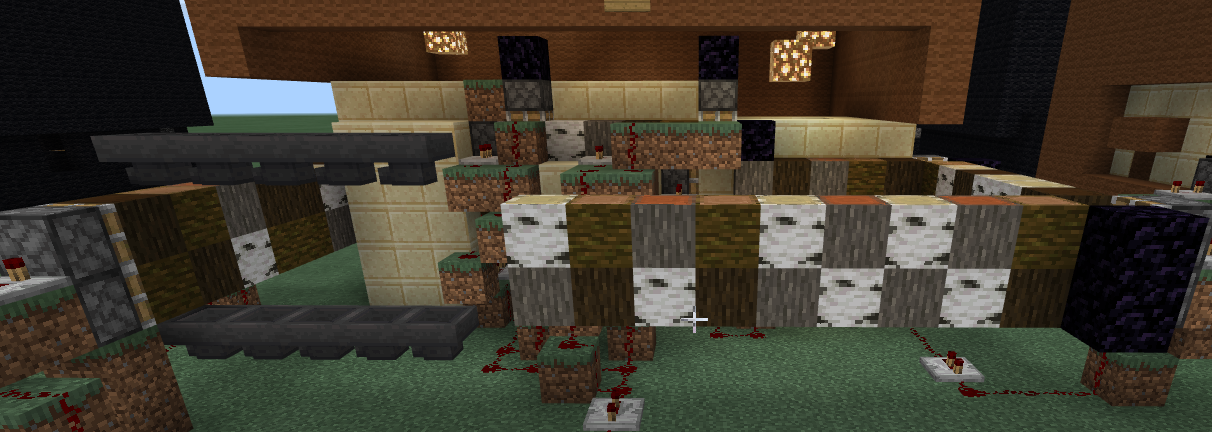
Another project, in the near future, is to re-create my old transcription/translation map for a teacher at my current school to use, we were going to have that going in the next few weeks, but since we are back into remote learning here, we are going to hold off. What was really cool though, was I found my old world and managed to get it to the latest version of M:EE without losing any important data. It took some doing because a lot of the sequences/blocks in that world were the original MCEdu blocks, that didn't swap over to M:EE very nicely, so currently my genetic code is all in what I would call "Log Format" 


I really didn't want to lose the old genetic sequence, as there was countless hours put into getting that right.

That's it from me, nothing really super exciting to share at this stage, except stay tuned, here, my YouTube channel and Twitch channel. Things are going to start happening!

Tuesday, 16 June 2020

It Is Official!!


This wasn't the great news I was thinking I would be sharing first, but it is too good not to share and it only became official a few days ago. I am now officially a Minecraft Partner, which means I can finally make my content available on all Bedrock platforms through the Marketplace. I am super excited, and have a couple of fun ideas to put out there, not educational, just fun. Which is an interesting shift, and actually quite hard to wrap my head around, I keep trying to 'sneak' educational stuff in while planning, but I need to keep reminding myself that I don't need to, nor do I really want to do that right now.

I do have a couple of solid ideas for maps, and I hope to get one done in the next few weeks ready for release, but I have so much work going on at the moment being back in the classroom, I am struggling for time to do all I want. I need to do the 'timeline' specific projects before I can go onto other projects, but I will get there.

As I mentioned in my previous post, I have a couple of other projects going on, which I am hoping to be able to share some screenshots and work soon. The first 'event' is just under a month away for a project with a local gallery here in Victoria, and when registrations open I will surely let you know. We are currently exploring how we can make this live event, hosted on an external server, available on as many devices as possible.

I found a neat little tool called Phantom, over on github, that 'mirrors' an external server on a local network, allowing consoles to join as if they were on a LAN server. So, we are currently testing that as an option to allow users to join from their console.

That's a pretty short blog post, for me. Thanks for reading, onwards and upwards!


Tuesday, 9 June 2020

Road to Recovery!


This post has been a solid 6 months in the making, and I have started it so many times, in the wrong mindset and never been able to properly (and professionally) explain what happened, why it happened, what it means and what is next for me. Putting it plainly, I have been on an interesting personal journey the last few months, and it has been one of (I hope) immense personal growth. As you know I was leading the development of Mini Melbourne, and the deployment of M:EE across the state of Victoria. Well, in mid July last year, that all stopped, quite suddenly, and what started as a great opportunity for me, turned into a terrible circumstance and one that had serious impacts on me, my family, and most importantly for this blog, my mental health.

I don’t want to, nor do I think it appropriate, to go into all the details of what happened, and why, but I do think it fair to try and explain what impact it had on me, and why, yet again, I disappeared off the face of the blog planet for a significant time, with no reason or warning.

Basically, I was letting someone else’s (possibly several else’s) poor behaviour and choices define my behaviour, to some extent. Most certainly not by choice, but by virtue of seeing no ‘positive’ way forward, and no way to resolve my feelings due to the fact there is no ‘reasonable’ person on the other end of this situation. I wish there was, sitting with someone reasonable, outlining the situation would, I believe, help in a resolution to a very confusing, and I feel unfair situation. Unfortunately, due to the inability to have this ‘reasonable’ discussion, I am left feeling unfairly treated with no way to resolve the feelings I have, no way to ‘go back in time’ and fix the issues I have faced over the last 6 months.

I loved working on deploying Minecraft: Education Edition on a large scale, developing lessons for teachers to use, working with and supporting a large range of teachers across all subjects and year levels, and best of all, being paid to do it. Then due to misrepresentations and poor decision making, outside of my control, I ‘lost’ that opportunity, and what I thought was going to be a new, even greater opportunity, was no longer available to me.

It was a very abrupt change to my plans, and it was very disheartening to feel all the passion and drive I had for pushing boundaries, and supporting educators slowly drain out of me. Something I had managed to hold onto since 2011, something that I valued in myself, something that I felt defined me in a lot of ways. Educational Minecraft has been a large part of my life for a long time, in fact the majority of my ‘teaching career’ has involved Minecraft in some capacity. I have learned a great deal about myself, education and learning, had some awesome successes and I really value all the friendships, opportunities and experiences I have had in this space. My feelings towards all of those great things was souring, and that was not something I wanted.

I have still been helping where and when I am able, but for my own mental health I had to take an immense step back from the M:EE community, not because of the community, but because of the feelings and thoughts and angst I was feeling about the platform in general.

Basically, right now, I feel like I am beginning to come out of the ‘dark days’ of my mental health issues. Reflecting on this ‘change’ in my disposition, I think a large part of that is probably because I am really looking forward to working in a real life classroom with real life students again.

I have also been working ‘outside’ of the education sphere of Minecraft and with some non-educational projects, which has also been helping, slowly transitioning myself back into seeing Minecraft in a positive light, rather than the cause of a great deal of stress and anxiety. I am working on some really cool stuff, that I am really enjoying, is stretching my own knowledge and ability in customising experiences in Minecraft and is generally, going quite well.

I am also back to ‘imagining’ what I could do to support education when M:EE updates to 1.16. This has not been the case for far too long, not being able to ‘see’ my next big ‘innovation’ and project because I could not see myself working within Minecraft. Something I have wanted to do for a long time might actually be a reality when M:EE goes to 1.16. The longer the delay in updating M:EE, and the closer Bedrock gets to 1.16, the more likely that the next update for M:EE will bring it to 1.16, and that long term desire may be a reality, even if it will be with way too many hours worth of work.

Most importantly, I am back to doing what I love, working with students. It is a tough job, coming back into the classroom after a few years out of it, but there is a solid team around me, both locally at the school, within my family and with my friends, local and global. Here’s to continuing in a more positive frame of mind, and going back to defining my own path, rather than letting others define it for me. For those of you out there, that have supported me, in any way, over the last 12 or so months, know that your support has been highly valued, and likely you don’t even know you did it! To those who did know what was going on, and regularly put up with my terrible moods and grumpy rants and still stuck around, thank you! Without your reasoned and well thought out responses, I wouldn’t be mentally where I am now.

So, this is not the ‘goodbye’ post, or the grumpy rant I started writing so many times over the last few months, but instead, and I am very glad to say it, a more positive me is emerging. While I am not back to ‘full strength’ and I still have more bad days than I would prefer, I am certainly on the road to recovering my passion and drive for supporting educational Minecraft, and pushing my own Minecraft boundaries to help me build whatever my next ‘great’ idea is.

Wednesday, 10 July 2019

Teaching Goals vs Personal Goals

In my previous post, after weeks of trying to get something to work, I engaged in some critical reflection, and in sharing that post with some colleagues around the world, summarising the main points of that post, led myself to the idea that I had 'disconnected' from the learning goals and was instead pursuing my personal achievement goals in that project.

I wanted to map a complete genetic inheritance pattern in Minecraft, and use that to support the teaching of genetics to students. However, when I ran into technical difficulties that prevented me from achieving my personal goal, I stopped to think about the learning goals, and realised that I had focused too hard on my own desires, rather than the needs of the learning goals.

Which really intrigued me, as someone who has always tried to focus on the practicalities required for the teaching and learning I want in Minecraft, rather than the fun, or the pretty, it is quite jarring to realise that I had lost that focus on the learning requirements, but had instead pursued a personal technical challenge. Which, in itself is fine in my current circumstance, as a volunteer, creating this for my own fun, and to develop my own technical knowledge on this new aspect of Minecraft, but....

When isn't it OK, when is it inappropriate? A very quick reflection says that if what I was doing impacted on student learning, or if I was letting students do the same. Letting someone in my classroom, myself, or my students, in class time, when we are supposed to be reaching our learning targets, get bogged down into these kinds of 'rabbit holes' of personal goals that have become disconnected from the learning goals is when.

So, if I had managed to achieve my goal of a complete inheritance pattern mapped in Minecraft, and that was used by teachers and because of the complexities involved, and the possibilities for confusion due to my work were as likely as I think they could have been, that would have been a very disappointing outcome for me, the teachers, and most importantly for the students.

So, I am certainly very glad I realised this now, relatively early on in the project development, but still am a little disappointed in myself. I also wonder what I would have done if I had been able to achieve it (and I am probably still going to try 'on the side) and had been trying to map my lessons to it.

It is really odd, I had already decided I would have 'specific' flies in place for students to perform breeding tests on, and I was going to genetically 'choose' these flies (or adjust them in external editors) so they would have only had a small chance to have alterations to my desired outcomes, but even with those thoughts floating around in my head, I still hadn't the wherewithal to pull myself up and refocus on what I needed, rather than what I wanted.

Having multiple entities will actually make this world and lesson(s) so much easier for me to create and have finished and ready as a learning task for the pending Minecraft: EE update. Now I just have to find the time, and desire to do this 'version' so that I can release it into the wild! Thanks, as always for reading, feel free to leave a comment below.

Monday, 8 July 2019

Genetics Development - Day 7 - Genes to Family, Family to Variants than Variants to Game

This was my brilliant plan to fix the fly rendering in Minecraft from where we left it in day 6. I am essentially trying to assign the fly, upon birth, or spawn, a 'family' for each trait they have, and then use the family data each has to explicitly assign the variant and mark_variant flags that allow Minecraft to render the correct model and texture.

Only thing wrong with my brilliant plan, it doesn't work... yet... I can feel the solution is very close, there is something wrong in the way I have coded it causing it not to work, I am pretty sure the theory is correct. However I am stuck in a 'loop' of the genetics assigning only one 'birth event' and that birth event is the sex. Which assigns the correct family (which is nowhere 'in' the entity in external editors that I can find) and it gets the first layer of component groups, but this will not translate across into the second layer, and assign the variant and mark variant as expected.

I have spent a few hours looking carefully at the data the flies have in-game, and what I expect them to have, and it just doesn't align for some reason. So, I am going to try swapping the 'is family' test point for 'has component' and see if that changes things. If it doesn't work, it is because Minecraft doesn't support this 'double dip' through data and I will need to go back to the drawing board and test one of the other solutions from the previous post.

(some weeks later)

After swapping the 'is family' test for 'has component' there is no difference, however, what is interesting is the flies always get their sex component added, but never the other traits. I feel like I am very close, because it does seem to loop the data I want in, for only half of it, so now to try and work out why!!!

After a few (more) weeks of trying to nut this out, I am pretty sure I cannot get Minecraft to 'collate' multiple 'chromosomes' into the one birth event. At least I think that is the issue. It appears that it works in 'sequence' until it finds a birth event whose requirements are met, and then it stops looking at the other genetics.

It is really quite odd, because the entities 'get' the right chromosomes/genetics/alleles applied to them, but only get the 'tag' of the first birth event. Which means I can then not 'give them other tags' and render them appropriately based on their different genetics.

So, this leads me to be thinking about what it is I actually want to achieve. While having a completely mapped genetic inheritance pattern on the one entity is a really, really cool 'technical challenge' for me, is it really required to do the educational activities I want to do?

The simple answer is, no it certainly is not. If I can have as many custom entities as I want, then I can have different entities for each genetic trait we want to explore. This is 'normal' operating procedure in labs all over the world, they know exactly what genotype their breedstock is, and use the appropriate ones for the testing they want to do.

So why should I make Minecraft the exception? I am thinking that I should have multiple different 'fly types' and set up specific inheritance tests for students to explore. Again, this is normal, and supports students in understanding the inheritance pattern we want them to grasp, without causing undue confusion with multiple inheritance patterns impacting on the results. If we can give students specific genetic traits to explore, and interpret, then I am most certainly achieving the educational goals of this project, if not my own, possibly silly, technical goal of having a (mostly) 'true to life' genetic inheritance pattern all in the one entity.

So, there you have it, I have been mulling over this for ages, and thank you for your patience while I have been absent. I will have more to share on the 'why' I have been a bit quieter of late soon, but know that I am still here, working in the background. Thanks, as always, for reading, and if you have any comments, please feel free to leave them below or touch base on twitter @EduElfie.

Thursday, 27 June 2019

Genetics Development - Day 6 - Adding to the Genetics and Breaking IT ALL!

So, after ending Day 5 with the basics of inheritance of both sex, and wing type figured out, the models displaying correctly and everything working exactly as I would like, it is now time to try and expand it to include a 'sex-linked' inheritance pattern, white eyes.

Of course, doing this breaks EVERYTHING!!! OK, well not everything, but the basic premise of the whole system I have in place is now untenable. I believe this is because I have the sex type calling a particular geometry by using 'minecraft:variant', and wing type calling a particular texture by using 'minecraft:mark_variant', which leaves me no way to call another texture 'automatically' through this entity.

I can get the white eyes to appear on the fly through external editing, and the inheritance appears to work find on the genotypes of the offspring, but I cannot get it to display the correct phenotype, because it gets 'normal wings' texture before it gets the 'white eyes' texture. Basically it get's a 'mark_variant' for normal wings, because that is what it has, and that doesn't then get overwritten by the white eyes 'mark_variant'.

Now I have figured out the issue, what is the resolution? After quite a few hours fiddling around and trying to understand, I think I need to, somehow, give particular variants, and mark_variants based on the multiple separate genes I have. Each gene marks a 'birth_event' which I then use to add component groups to the flies, which in the past was assigning the variants and mark_variant data.

The first step I have taken is to make all 'geometry' alterations, so that is sex, and vestigial wing type (and later curly wings too) based on variant, and all textures based on mark_variant. This means quite a bit of explicitness in the entity definition and a whole heap of individual textures for each possible phenotype, which I was trying to avoid in some respects, but looks like the entity definition file in the behaviour pack is going to be as large as it needs to be!

Next steps? I have quite a a few options to explore for day 7 and beyond, and they are as follows;

  • Use scripts and custom variables to control and assign the appropriate data to the flies.
  • Use family tags at birth, to then assign the specific variant and mark variants.
  • Use 'materials' as the third 'data change' in the render controller.
  • Use a 'villager' style system to assign different geometries and textures as they assign different professions in the vanilla game.
  • Use 'masked' textures (again as they do in villagers) to 'overlay' multiple parts of the flies.
I think the most likely option for me to initially explore is the 'materials' method, and making the eyes a 'material' that I can alter based on genetics. Second to that will likely be a combination of the masked textures and the villager professions.

There are of course pros and cons in each, and in reality what I want to do may be more readily accessible in the API, so when I have some brain power, I am going to head down the path of exploring that, but I am also really enjoying exploring and I am learning a lot about how entities work in Minecraft, which I am thinking will be beneficial in a lot of future projects too.

But, that is where I finish day 6, a little further along, but also taking a significant step backwards. One thing that has crossed my mind, is to completely separate the different inheritance patterns, and realistically that would work quite well, as in have a "drosophila v" for vestigial, and "drosophila we" for white eyes, which would definitely work, but I am interested in seeing whether I can combine multiple inheritance patterns and weave them into some semblance of correct genetics for this organism.

Monday, 24 June 2019

Genetics Development - Day 5 - Testing the Genetics

Testing! Testing! Testing was the goal here. The main aim was to check whether the inheritance pattern of both sex and wing type were correct. I tested 160 offspring from the same parents (after confirming the parents genotypes using external editors) and the results were pretty amazing.

I nailed the wing type inheritance pattern, with an expected ratio of 3 normal : 1 vestigial coming out at 3.21 normal : 1 vestigial.

However the sex inheritance was out, with double the amount of females coming out than males. It should have been 50/50 but was more like 66/34. So this meant some exploring of the genetics of the flies to try and work out why. It took me an hour or so to figure it out, but essentially I had 3/4 of the alleles in the population as female, and only 1/4 male and was only looking at 'one' allele to determine sex.

So my parents were XX and XY (as expected) however I had it set to test only the 'main_allele' and thought that would make it 50/50, however for that to be the case the male would need to essentially be YY, which is so incorrect I could not have it! So, back to the drawing board, to try and work out exactly how these patterns are read by Minecraft.

I ended up doing what I 'should' have done from the start, and females are those with 'both_alleles' as X and males 'either_allele' as Y. This of course creates an issue if you breed two males together (which I still haven't figured a way to prevent) and get a YY... I actually don't know what Minecraft is going to do in this case, but figure, for the purposes of the lessons in and around this, it doesn't really matter.

So, now that I have both the sex, and the vestigial wing inheritance patterns correctly working it is time to try and throw more patterns into the mix, specifically the sex linked inheritance pattern of white eyes. A job for day 6!

Thanks as always for reading! Feel free to leave a comment below.


Thursday, 20 June 2019

Is Minecraft Only a Creative Solution for Schools?

This has been on my mind more and more lately as I see the global social media and feeds on what is happening in schools around the world. Admittedly, I am only seeing those using the #MinecraftEdu or @PlayCraftLearn tags and mostly on Twitter, but it is more and more 'only' about students creating to demonstrate learning.

Which I am not suggesting by any means is necessarily a bad thing, but what happened to the teaching lessons, those things we used to have where learning goals were embedded in the game? It seems that the vast majority of uses out there at the moment are students creating something as a demonstration of learning.

So I began to wonder, what happened? When did Minecraft only become a creativity platform for schools, and I think it is since Microsoft took the helm. I also think it has a great deal to do with the 'surface' level of understanding of "Minecraft the game" that trainers, and therefore those they have trained have. The number of users with access to M:EE continues to grow as more and more districts, regions and states (however it is broken up in your area of the globe) begin to license it, and as such there is a high level of 'inexperienced' Minecraft educators out there, who are looking for support. Microsoft holds the training, and uses their trainers, and while those trainers are great at getting people 'on board' and understanding what Minecraft is, and how it can be used at this base level, there is not enough knowledge out there in the majority of trainers about "Minecraft the game" to help people go beyond this low level usage.

I look back at the maps available 6 years ago, before Microsoft took MinecraftEdu off the shelves, and the 'hallmark' map and learning activity was really Eric Walker's World of Humanities. It was an immersive world that took students through masses of learning content, involved gameplay, quests, information and really used the best of what Minecraft has to offer for educational purposes. I would link you to the original page for that, but that is yet another thing that Microsoft have recently pulled off the shelves, and despite multiple community requests, and myself asking repeatedly for further information, we still have no visibility on the reasoning of that decision, or whether they will ever be made available again. That grump aside, here is an archived copy of the page with an outline of the world: https://web.archive.org/web/20160319171629/http://services.minecraftedu.com/wiki/Wonderful_World_of_Humanities

Second to that was probably Joel Levin's Escape from Everest map. One which I have been 'in the process' of updating to work with EE for about 12 months now, at the request of a community member, and sadly I just have not had the time to get that project over the line. I cannot get you an archived link to that one unfortunately, as I have been unable to access the old world library pages at all.

Of course I rank most of my original maps up there as 'learning tasks' in Minecraft, but they are also available for M:EE right now. Alongside mine, there were Shane Asselstine's maps where the tasks were always gameplay based, but tied tightly to learning outcomes, and many other user generated maps as well, all of very high quality, and using Minecraft explicitly for educational outcomes, not as a creativity tool alone.

I think the main difference between back then and now, which is by no means a fault of anyone, even though this post seems directed at Microsoft and their trainers by what you have read thus far, but back then, those integrating Minecraft into their classrooms knew the game, today to put it simply, the majority of teachers using this platform don't know "Minecraft the game" at all. What they do know is that it is loved by kids, and that they can join students together in multiplayer sessions, and that kids can create in it, but they know nothing about the gameplay, the mechanics, which of course means they cannot map learning into worlds or tasks beyond allowing students to be creative in this space. Alongside that, the majority don't have the time (or possibly the desire) to go and play, which is one key stepping stone to going beyond the basics in any learning tool, making the time to explore deeply to better be able to incorporate into lessons.

This is limiting the growth of learning tasks in Minecraft hugely in my opinion. Giving students the opportunity to demonstrate their learning of a topic in Minecraft is low hanging fruit, and while the end product may be far more interesting than writing an essay, or drawing a picture, is it really any different? I don't often 'call down' the SAMR model, but in this case it is quite literally using Minecraft as a substitute for a pencil and some paper, or perhaps a replacement for LEGO or making a diorama or poster.

Now look at the lessons that used to be available. Fully immersive worlds, with learning embedded throughout in gameful tasks. That is a redefinition of how education works, and that is the power that Minecraft CAN have in classrooms. It CAN go fluidly across all the different 'levels' of SAMR. However currently the larger community is stuck at only the basest understanding of this power and as such there are millions of students using Minecraft as a pen and paper creative tool, rather than an immersive learning environment.

So, what can we do to fix it? Well, here goes a bit more of a rant, I have been trying for years to get Microsoft and more specifically the M:EE team to see that the 'Mentor' community is not actually mentoring, a large portion of the members in that community in the past have been new to Minecraft. There is a greater portion of people within that community now that have game knowledge, but it is not enough of a ratio to tip the community over the edge. The community is a community of people from all over the globe, with knowledge ranging from absolute base understanding (or lower) through to very high level understanding about gameplay, and how to manipulate it to create immersive learning experiences.

All of that 'beyond the basics' knowledge is 'wasted' within that community. Sometimes I feel that Microsoft has misnamed the community, they don't seem interested in driving or supporting pedagogical discussions in that space or in community members discussing things and building lessons and worlds together, but are very interested in the community amplifying the message that Minecraft is good in classrooms for students. Which, it is, but there is so much more a true 'Mentor' community could do. Spreading the word is only part of mentoring, and in my mind is more of an ambassadorial type role. I think, in the end, until Microsoft and the M:EE team begin to value immersive lessons and starts producing content or challenges, or even supporting the production of resources, that go beyond the paper and pen substitute level, then we, as a broader community are stuck, and here is why.

I was told, when someone from the M:EE team saw Mini Melbourne a few months before release, that they didn't want students just exploring, which of course, in this case has massive inherent value for rural students and planning of trips. I also have some in-depth lessons available with many more planned, but to hear that from someone on the team that regularly brings us surface level worlds, with no embedded learning within them, was a bit confronting, and really, in my mind, showed that they can talk the talk, but perhaps cannot yet walk the walk. I say this because they still regularly release things at the basest level for all those teachers that are looking for, and need, the low hanging fruit, yet still, after many years of this platform being theirs, they do nothing to support those who are ready to go deeper, or looking for more than allowing creativity from their students in this platform.

So, as a community, what is next, other than waiting for Microsoft or the M:EE team to realise there is a need in the community for more than the low hanging fruit? I think we need keep building a community, I am still trying my best to share everything I learn, how I work, and why I make the decisions I do, and it is pleasing that there is a growing community of those interested in taking things further, beyond the basics. If that sounds like you, join the Discord (https://discord.gg/7fSQBdx) and start chatting to others about your outcomes and plans and see if, as a community, we can create something truly amazing.

Also, don't let my opinions of the Mentor community dissuade you from joining that community either, regardless of your experience in Minecraft in educational spaces, you will get something from that community, and as I have said in the past, the more educators that join that space looking to grow their practice, and willing to be open, share thoughts and honest feelings and collaborate with others, the better off the global Minecraft in education community will be.

That's it from me, I KNOW Minecraft is so much more than a creative platform, and I understand that all community members are on their own journey and need to start in a place of comfort, but some community members have been on a journey longer than M:EE has been around, and there is very little supported growth opportunity for them. Which also means there is little to available to support those beginning who want to go further, and I find that very disheartening. I hold hope that at some stage in the near future Microsoft and the M:EE team will begin to move beyond only supporting the low hanging fruit, and start supporting a wider range of embedded learning in this platform. If you have any comments, feel free to leave them below, thanks for reading.

Wednesday, 19 June 2019

Genetics Development - Day 4 - Starting the Genetics

I should say, as this is the last post I am writing in bulk since starting the project, and I hope to do these 'one at a time' from here on, that while I am listing days, sometimes there were multiple days between these 'major days' where thinking happened and some minor testing, but I am trying, at this stage, to do 'goals' for each day I am developing this project.

So on day 4, having gotten absolutely nowhere with the male/female breeding thing, it was time to turn to the genetics side of things and try and wrap my head around that. Boy it was a productive few hours, again a 1am finish, but a happy 1am finish!

So, with the genetics, I had the Panda to refer to, but it turns out it is quite easy to do, I must admit I spent a few hours mapping the traits I wanted a particular way, and I am still only doing a small component of the genetics I want, essentially sex and two varieties of wing type. It took a few hours, but by the end of it, I had flies inheriting traits from parents.

Basically they inherit their sex from one of their parents (normally in it is from the male passing on either an x or y chromosome at a 50/50 ratio, and I think I have that happening already. They also can inherit wing type, and this should be a dominant/recessive pattern of inheritance. Where by if I breed a pure bred wild fly with a vestigial fly all should 'look' wild type, but their genetics should all be heterozygous for wing type.

If I then take 2 of the first generation, and breed them I should get one quarter of the offspring being vestigial and the remaining three quarters looking wild type. I have also started thinking about 'lethal' genes, as that is an important thing to discuss.

At this stage I still don't fully understand what I can, and cannot do in the entity definition, with regards to using tags that I create, I am still using the 'inbuilt' variant and mark_variant tags. Variant is the sex of the fly, and the mark_variant is the skin that overlays that. I have some work to do on the textures, and the models, because I think I may need 3 variables to use in the render controller, which is certainly possible, but I am not ready yet.

I haven't done any solid testing on the current inheritance pattern, probabilities or anything yet. That is actually the plan for day 5, create a few entities, see if I can 'edit their genetics' externally so I know exactly what they are, and breed them multiple times and record lots of data about what happens.

In the intervening days between where I finished on day 4 and am writing this post, I have remembered an experiment I did on these flies at university, that took a whole term to do, because of the life cycles of these flies in the real world, and in theory, if I can get this working. I can replicate that whole experiment, and get the exact same data out of it in Minecraft within about an hour.

So, I am really excited to see how far I can go, how in-depth it can be, and how authentic I can make it. That's it for now, thanks for reading, and if you have any comments feel free to leave them below.

Tuesday, 18 June 2019

Genetics Development - Day 3 - Restricting Mates? Nope!

On day 3, I literally achieved nothing new. I ended the day in exactly the same spot as where I started it. I did however do a lot of testing and experimenting and learning. The goal was to try and make it, since I had clearly defined male and female entities, that only viable offspring were produced when a male and female mated. This is a genetics resource after all.

I was trying to use filters in places that apparently do not support them, double and triple checking syntax, trying to figure out what I could do to make it so that only males and females bred together. I tried all kinds of tags, like "self", "other" and "target" in the filters, but to absolutely no avail.

I went to bed at 1am (again) and woke up at 6am with what I thought was the answer.... but nope, sadly I was mistaken. In fact, as of writing these posts, I still have not solved this issue completely, although I have made a little bit more progress on it.

A very short post today, and that is fine, it was many hours, with a lot of no result at the end, but a lot of learning along the way! :D Feel free to leave a comment below.

Thursday, 13 June 2019

Genetics Development - Day 2 - Getting it in Minecraft

Day 2 started where day 1 left off. I had packs, I had 4 flies, and now I had to work out how to get the game to render the four different flies. It started with the 4 flies, their models, textures and everything in the right place. I swear it! But no matter how I tried I could not get them to render.

The issue I was having was that the 'render controller' was being 'ignored' by the game. OK, so I had something wrong that meant the mobs would be spawnable, but have no geometry or texture. They did however cast a shadow! Which, given that I usually have issues even getting the spawning to happen was a step up from my normal first attempt at packs.

One thing I noticed was that there was a way of calling multiple geometries, and I had the example from the sheep mob to look at, but is used a 'set' data point, and I still don't know how to add my own 'conditions' to entities and call them out later for use.

So, I also had things like horses, who have multiple textures, but the one geometry, and I spent about 5 more hours trying to figure out how to 'merge' the two magics into one render controller. The really unfortunate thing, is there is zero 'clear' documentation on how anything works. There is plenty of documentation, but nothing that directly applies to me, and I have to try and stitch together breadcrumbs from about 4 different official Minecraft web pages into some form of coherence that both I and Minecraft can make sense of.

The big issue I have is that Minecraft doesn't really throw errors at you. Things just don't work, it ignores them, and continues doing what it does. It wasn't until I started making Minecraft actually crash that I felt that I was making progress.

After about another 4 hours work, I finally got all 4 flies to render in the game, based on different geometries, and textures, that I could 'call' upon when I needed it. Sadly it turns out that I had everything pretty much right at the start, only I was missing one, apparently, very important set of [] in the render controller. Oh well, 3 hours 'wasted' but not really, because I learned a lot!

So, this is where I ended day 2, another late night/early morning and bed at 1am!


Thanks for reading, feel free to leave a comment below.

Wednesday, 12 June 2019

Genetics Development - Day 1 - Building the Base Packs

I was going to hold all of these posts until I had finished the genetics project, which will (hopefully) be ready and available for the next EE update. However, after getting to 'Day 6' I decided that I should put these out as I do them, like in the old days.

I am writing these posts as close to the days they relate to as possible, and the first 4 posts were written as a batch on the 30th of May, but instead of mass releasing them and spamming you with them, I will release them every couple of days until I catch up, then it will go back to 'as written' publication timelines. however I will leave them in draft form until I have completed the lesson and resources. So, if you are reading this, then I am DONE! Which, given I am currently about 4 days (around 20 hours) into my creation, I am very pleased about. Now, to business, and first business is background.

In Minecraft 1.8 they added Pandas, but while Pandas are special in their own right, they are also a bit extra special in Minecraft, because they are the only mob to have 'proper' genetics and inheritance. This started the senior biology teacher in me thinking about how I could utilise this to help me teach genetics to students, and how much I tried to do this 'back in the day' with MinecraftEdu, but the sheep just weren't a 'proper' model to support teaching. I ended up going with Pocket Frogs, but that is probably not a super key point, but still a really cool game for teaching inheritance and getting kids to think about the patterns that exist.

Anyway the idea has been stewing since Pandas came to vanilla Bedrock, but the idea took off into full flight mode once I figured out how to add my own entities. Not hijack those already in the game, but add my complete own custom entity. It was possible in 1.8 with 'experimental gameplay' on, but unfortunately they lock us out of using that in Education Edition (despite my requests to at least give us the option to choose ourselves).

So, I learned it because we had plans to include something in the first release of Mini Melbourne, but since experimental gameplay was banned, we had to pull back on our plans a little. The great thing for me, the learning had happened, and I was able to go back to stewing on exactly how I could do what I wanted.

Fast forward a few months, and I get told that the 'Village and Pillage' update for will come to M:EE 'soon'. So I think to myself "I wonder when custom entities got taken out of experimental gameplay." To my absolute delight, research said that 1.10 was the version, and since M:EE was going to be updated to 1.11 at least, I was right to actually implement my nefarious ideas.

So, onto what I did in day 1. If you have never tried to create a resource and behavior pack, do try it, and you will find that there are limited resources out there to help you, or there were when I started, more programs, guides and support are being made available all the time, which is all for the better, but getting started is definitely hard work! It took me about 5 packs to get the whole process stuck in my head, no joke. Day one consisted of the 5th attempt to create a pack, from scratch that would allow me to do what I wanted.

With the basic file structure of the pack created, it was time to go into Blockbench, an absolutely wicked program, that I need to do some tutorials on... add that to the list that is growing steadily longer because time.... is a precious resource, that I have very little of at the moment. What Blockbench allows you to do, is model an entity and export it to use in Minecraft (and many other programs, but my focus was Minecraft). So I spent the first 4 or so hours of this project creating my models, textures and a rough and ready animation and then getting them into the appropriate places in the packs.

4 Drosophila melanogaster models. Wild type male and female, and vestigial male and female flies.


With that all achieved, I went to bed, it was 1am after all. Next post, next day! Feel free to leave a comment below.

Tuesday, 11 June 2019

An Update Post About Blog Posts

This, I guess, is a warning post.... I currently have 6 posts sitting in draft format that I need to release, written over the last few weeks, that show the journey of a personal project up until yesterday. I don't know exactly why I was sitting on them, I think part of it was not to 'disrupt' the flow of the Mini Melbourne development posts I have been writing, but it has also been a significantly long time since I shared the development of a project 'live as it happens' on this blog, and well I think this project is pretty amazing, and I am excited to share the journey with you as I continue to develop it. I also think that sharing the journey of learning as I move towards the end product is something that is super relevant, and will hopefully be helpful for others.

Mini Melbourne is amazing, and shows what awesome stuff can be done with a team of people, of wide expertise, and a clear focus on learning outcomes. What I hope to do with this personal project, is, as I get time, create something that shows just how flexible Minecraft can be as a teaching and learning platform from the perspective of one person volunteering time, exploring new game mechanics, researching and learning along the way in completely new territory for the educational aspects of Minecraft.

The Mini Melbourne development posts will continue as I have time to write them, but expect a few other posts between times too. If I can get my act together enough, I might also share some of the parts of this project as I move forward for others to have a mess about with. I need to say, that at this stage, this project is being developed outside of M:EE and in standard Bedrock at the moment, because the features are not available in EE yet. I guess one thing to ask, is do you, as a reader, want access? Would you like to explore what I am creating 'live' as it develops? Hard to answer, without knowing what the project is, I know, but all the background and everything is in the next post, I promise.

That's it for now, I will release these posts 'slowly' rather than all at once, maybe every second day. Feel free to leave a comment below, and as always thanks for reading.

Thursday, 30 May 2019

Mini Melbourne Step 2b - Getting the World Final Workflow

Last post we talked about the early attempts, and shortfalls of each attempt. I am not sure I am doing justice to the learning that went on to get to this final workflow, that worked for us, but to put it in some 'time' perspective, it was multiple weeks of data, attempts, research, more attempts, more data, more attempts... well you get the idea.

But, all that aside, here is the final workflow that worked for us and our data. As mentioned in the previous post, all the data was provided to me in .obj files exported from 3dsMax, in a process that I did not have, or want, direct access to.

There is this really neat, really really neat in fact, program called Qubicle, which can import almost any 3D file and 'voxelise' it. Even better if you pay for it, has an export to schematic function built in. This piece of software, shown to me by Adam is a key part in the path. However there are limitations along the way, the biggest being that you cannot take all the data and just mash it into it. The scale for this particular project, is very important, and sectioning the data was definitely a big part of the key that makes this world infinitely expandable. You see, it appears that Qubicle has this 'hard limit' on how many 'blocks' it can effectively scale. For me, it was around 256 on the vertical axes, once you started to scale models beyond that size, things started going awry. The models would be 'pulled apart' in odd ways, and the 'verticality' of the data would get all kinds of messed up, like this:


So, you can see that is a bit of an issue if you are trying to recreate a whole heap of a city. There is no way you could do it using that as a basis. So after a whole heap of messing about, working with those that held the data in 3dsMax, we solidified a size that we would work from, 200 meters squared was the most reliable.

Another interesting thing I found along the way about Qubicle, was that when you import a model, it tries to automatically scale it as big as it can, and the 200m model size, seemed to make Qubicle not mess with the scale on import, which was a huge win, and in hindsight, likely to be because 200 cannot be doubled and still be under 256. This caused us some issues with the tallest building in Melbourne, causing the scale of those sections to be slightly off, so I had to learn how to edit this particular section in Qubicle and export it in 2 vertical parts, and 'tweak' the scale accordingly so it aligned properly with the 1 block = 1 meter of the rest of the map.


Originally we were talking about 100m models, as shown in the image above, but I am glad we were able to push it out to 200m because it cut down the work required to stitch it all together by three quarters. I also, for completeness sake should tell you that I tried to stitch each of these 200m squared models together in Qubicle, but it was just too much for the software to cope with, and started causing me issues in terms of accurately aligning the models.

The time taken to render and move models around as more and more models were added was very problematic, and I am not working on a potato of a computer. On top of that, after persisting with it and getting everything to a point that I thought it was close it turns out it was unable to export such a large model to .schematic, it kept crashing when I tried and those sections I did manage to export were actually not aligned very well at all, despite appearing OK in Qubicle... 3D modelling is all about perspective, and making sure you are checking things from all of possible perspectives.

So enter the final piece of software along the way, MCEdit. To be honest, I have never been a huge fan of MCEdit in the past, not because I don't like the program, or what it was capable of, but more because I was unfamiliar with it, and while it looks like Minecraft, there is a massive difference in the way the controls work, and the way the 'player' (camera) moves and I really struggled with that.

This is why, back in the MinecraftEdu days, I loved WorldEdit so much, it was in game, powerful, and the controls made sense! But boy do I love MCEdit now, I learnt so much about MCEdit 'as required' during this project, which was an awesome way to learn actually, and I am still nowhere near an expert, not like Adrian, nope, nothing like that, but I am now proficient enough to do most of what I need to get done in a timely and what I believe is an efficient manner, or efficient enough for me anyway.

Stitching the pieces together took a lot of practice, and involved aligning each piece, very carefully. There were multiple restarts and throw away worlds along the way, but once I figured out the proper way to nudge parts around when importing, it was actually quite easy to do. It was also way easier to align the different pieces properly in MCEdit than it was in Qubicle, because Minecraft is very explicit with regards to the coordinate system, which means there are significantly less 'misalignment' opportunities.


I did realise early on, that I couldn't always align the edges of the models in a fixed grid type way, as, despite my requests to have everything in 200m square slabs you can see from the map image provided above, that if you combine a 2x2 grid of those squares together, that not all would end up square, nor 200m. So I had to devise a plan regarding finding the corners of each 'square' as it came in so that I could more easily align the pieces, 28 in all. What I ended up doing was 'marking' each corner of the piece after I imported it with a different block so that I could more easily align the adjacent pieces.


See that very faint blue spot in the middle of the gray sea of stone? Yep, that is my marker! Now, as you can clearly see the big downfall of all of this work was that, while all of the data was now in Minecraft, it was all made of stone, and well, didn't look much like Melbourne at all. We did explore texturing the models in Qubicle, as the obj file exports I received had material files associated with them, but we decided 'translating' those materials across into Minecraft blocks just was not worth the time it would take to do properly, when we could texture the buildings in MCEdit for 'broad strokes' and in-game for the finer details.

So that wraps up the 'getting the data into' Minecraft aspect of this series, next up, will either be how I started detailing the world, or heading back to the next stages of development of the Dig Experience, I am not really sure which I will feel more like writing about, since they were concurrent processes at this early stage, but stay tuned, and as always thanks for reading, feel free to drop a comment below.

Wednesday, 22 May 2019

Mini Melbourne Step 2a - Getting the World Failed Attempts

Alright, so in the last post we talked about how we started looking at this project from the perspective of the 'Dig Experience' and that the building of the city was a secondary objective. These two 'projects' of course were in 'co-development' as the dig would be 'set' within the Mini Melbourne world. However, once we had nailed the basics of the dig, and determined that it was going to be possible, we looked at what portion of the city we were going to get into Minecraft. We knew we had 3D data of the entire city, but choosing a smaller section and testing out the process for getting that data in was important.

This map shows the initial planned data for import, and a small subset of that was given to me to do all sorts of testing and investigations on. The slab I was testing appears to be from St Paul's Cathedral along Flinders Street (north side) towards the east.


We were not in uncharted territory, and many people have their own unique workflows to bring data, big data, into Minecraft. So, I turned to the community and two of my favourite online Minecraft experts, Adam Clarke and Adrian Brightmore showed me how they get 3D data into Minecraft, in multiple ways. Without those two and their expertise, the project would have been a lot more difficult. So, I thanked them back then, and I am going to do it again right now. Now that the project has been released into the wild I am so pleased with how it turned out, and that we actually managed to get the project over the line.

Without the willingness of both of these amazing guys, I am not sure it would be as big as it currently is, and as easily expandable as I know it is currently. With all the sincerity I can muster, thanks guys, this project started with freely shared community knowledge, and ends with a freely available resource for the entire world to use and explore, create and share across all major Minecraft platforms.

So after my discussions with Adam and Adrian, I went back to the people that had the data, and we talked about what sort of format they had the data in, and what sort of format they could easily get it in. It took us quite a bit of time to nail it down, but in the end we now have a workflow from their data, into my hands, in such a way that I could easily bring it into Minecraft world, that was easily expandable for when we want to include more of the city in future updates.

So, how did we do it? In this post, as the title implies, I will share the explorations I started with, and what issues these workflows caused, and then in the next post we will talk about the actual workflow. All of this data was given to me in .obj format, exported from 3dsMax, the process of which is a 'black box' that I know very little about!

First attempt: TinkerCad; Freely available, and something I have used before, so of course I started here. Interesting how you always start from an area of most comfort! Unfortunately for my comfort levels, I very quickly found that TinkerCad was not all that great at dealing with 'large' or 'detailed' models, fantastic for the smaller stuff I have done in the past, but not a great prospect having to neaten all the holes and everything in the large detailed city models I had access to.


As you can see there are holes in the terrain, entire missing sections of roof and all kinds of things I would have to neaten up in 'post-processing', and given the scale of the data I was using, probably not going to be a great option moving forward in terms of scaling the project in future and ease of use. I also decided at this point, that we were going to have to 're-north' Melbourne before we brought it into Minecraft. As you can see, all the buildings are 'angled' and it just looks 'jagged' for lack of a better word.


This is the same Tinkercad import, only 're-northed' by around 21 degrees. It looks way, way nicer, but you can still see the missing parts are still very prevalent.


Next attempt: VoxtoSchematic; Adrian has a wealth of knowledge about MCEdit and a massive collection of filters for doing all sorts of crazy things with it. He pointed me in this direction: http://www.brightmoore.net/mcedit-filters-1/voxtoschematic so I began exploring. It required me to import the obj data into a voxel program, I used Magicavoxel (https://ephtracy.github.io/) to get started, because... free... and we were only exploring at this stage. This allowed me to 'paint' portions of the data a particular colour and then export for the VoxtoSchematic to work with and VoxtoSchematic would convert those colours to specific Minecraft blocks.

A truly brilliant piece of software by Adrian, and Magicavoxel is pretty darn cool as well, but the scale quickly became problematic, as I had no way to control what 'size' the model was converted to schematic at. EDIT: Found my notes (finally) and Magicavoxel also had a serious limitation on the number of blocks it could deal with, 126 blocks cubed. This was the first point where we were seriously looking at how much data is too much. We really needed to find a balance between software limitations, and also time limitations. As in, we could easily export each building individually, but stitching that much data together at the other end would be way too time intensive to be sustainable. The great thing about this process is that the models imported quite well, neatly, with way less of the fidelity loss we saw in TinkerCad. However, the scale was all over the place and I couldn't easily find a way to manage that effectively.


It was about this point that I understood enough about MCEdit to realise that no matter which path I took, it was going to play a big part in the creation of the final world, so we started to look at converting the 3D data directly to schematic format. I investigated FME, and some neat posts detailing how that could easily translate big data into Minecraft directly, but the path was just not clear enough, and neither me, nor the data company had the software, or the time to learn it to the depth it appeared we would need to complete that workflow, so we continued looking.

That, very quickly, summarises a couple of weeks worth of testing, trialing, researching, testing some more, researching some more and testing even more. In the next post I will share the workflow that worked for us, and our data. As always, thanks for reading, and if you have any comments, please feel free to leave them in the comments section below.

Wednesday, 15 May 2019

Mini Melbourne Step 1 - Is it even possible?

This is the first in a series, of unknown length, of posts detailing, I hope, the process I went through, the people that helped, the software we tried, what failed and why, what we software used in the end, the game mechanics and the iterations of these that all came together to create both Mini Melbourne and Archaeology Adventure. If you haven't seen Mini Melbourne, or the Archaeology Adventure... I would ask what rock you have been living under, but that could be rude, so I suggest you check out this promo video showing what it is. (EDIT: Apparently the embed has stopped working, so here is the link: https://fuse.education.vic.gov.au/Resource/ByPin?Pin=8WB7CM&SearchScope=All

Funnily enough, even though the title of this post says Mini Melbourne Step 1, it didn't really start as a project to recreate such a large portion of a city in Minecraft. It started with a question, can we, two completely separate government departments, create a piece of content for Minecraft and make it really, solidly educational and suitable not only to both departments, but also to a wide range of schools, students and subject areas?

The idea for the project, out of the three that were coined in preliminary emails, that held the most interest of the team, but oddly enough my 'least favourite' was the idea of students performing an archaeological dig. If I am being honest, and I like to think I normally am, at the time I thought they were trying to make their ideas fit Minecraft, rather than making Minecraft fit their ideas, but as always, I went into the meeting with an open mind and, well.....

I was totally wrong of course... I had no idea prior to our initial face to face meeting that there were actual archaeological digs happening a block away from me right then, as we were in discussions about this project, and those archaeological digs would be the factual basis of this whole experience. Not only making this a highly immersive experience, but an authentic one, based on real events of real sites and real people and community from our city's history.

So, after our initial meeting, it was decided the first project we would work on would be what would become Archaeology Adventure, or the 'Dig Experience' as it was called for much of its development internally. So I took the idea and started playing around with the mechanics I knew of that might support this kind of thing. I also had to explore some mechanics and make them up as I went, which has been one amazing side effect of working on this project, I have learnt so much, and I hope to share as much of it as I can, by starting at the start and taking you on a journey to the finished product, both through this series of blog posts, but also through a YouTube video series that goes more in depth about each mechanic than I could possibly do here and keep your attention!

Anyway, back on topic! I created a quick and dirty mockup of how I expected a dig might work to show the team. That constituted the following basic mechanics;

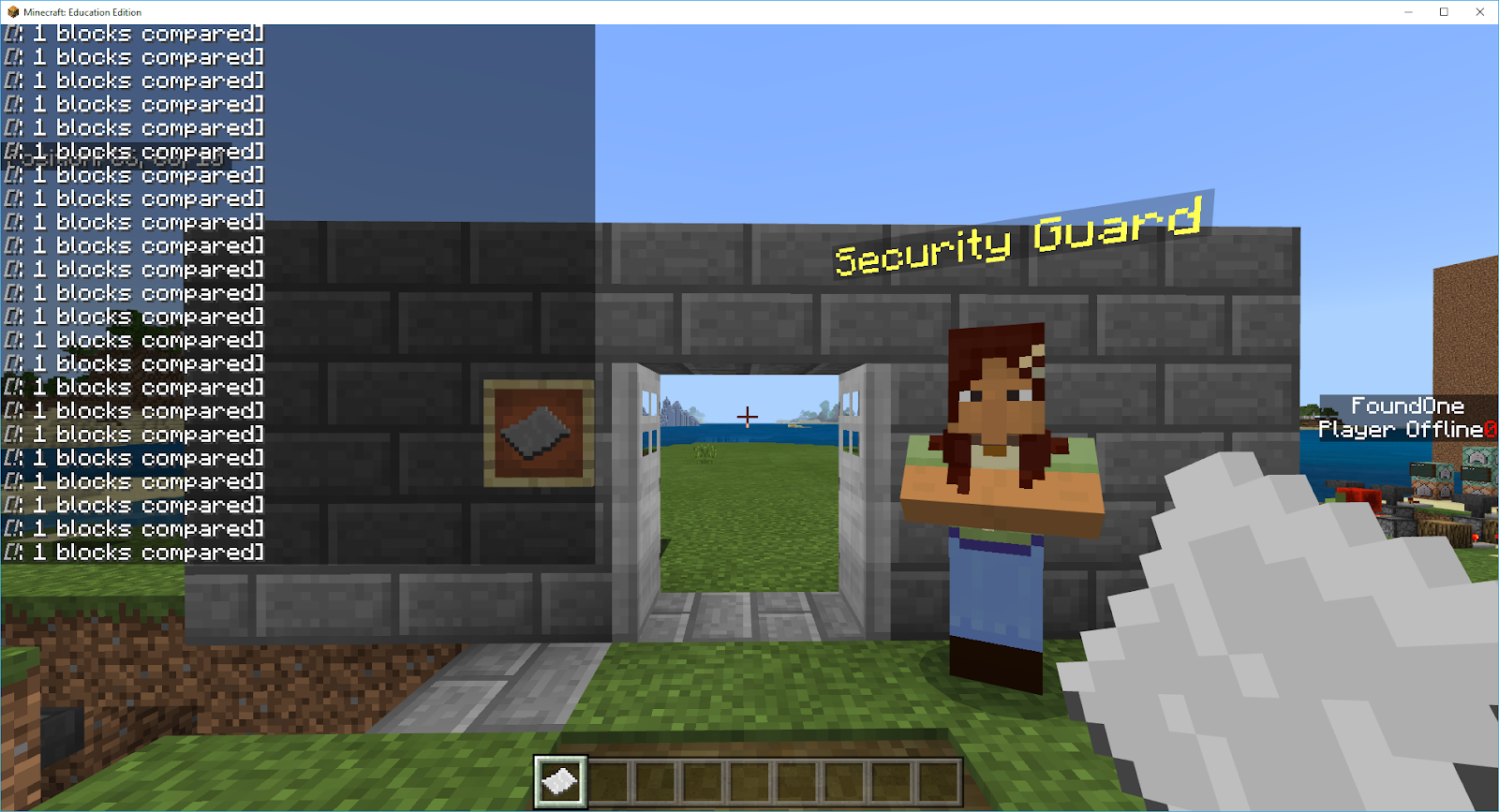
A security pass, and check in system to actually get onto the site.


The raw and rough mechanics for randomly 'finding' items in a given area.


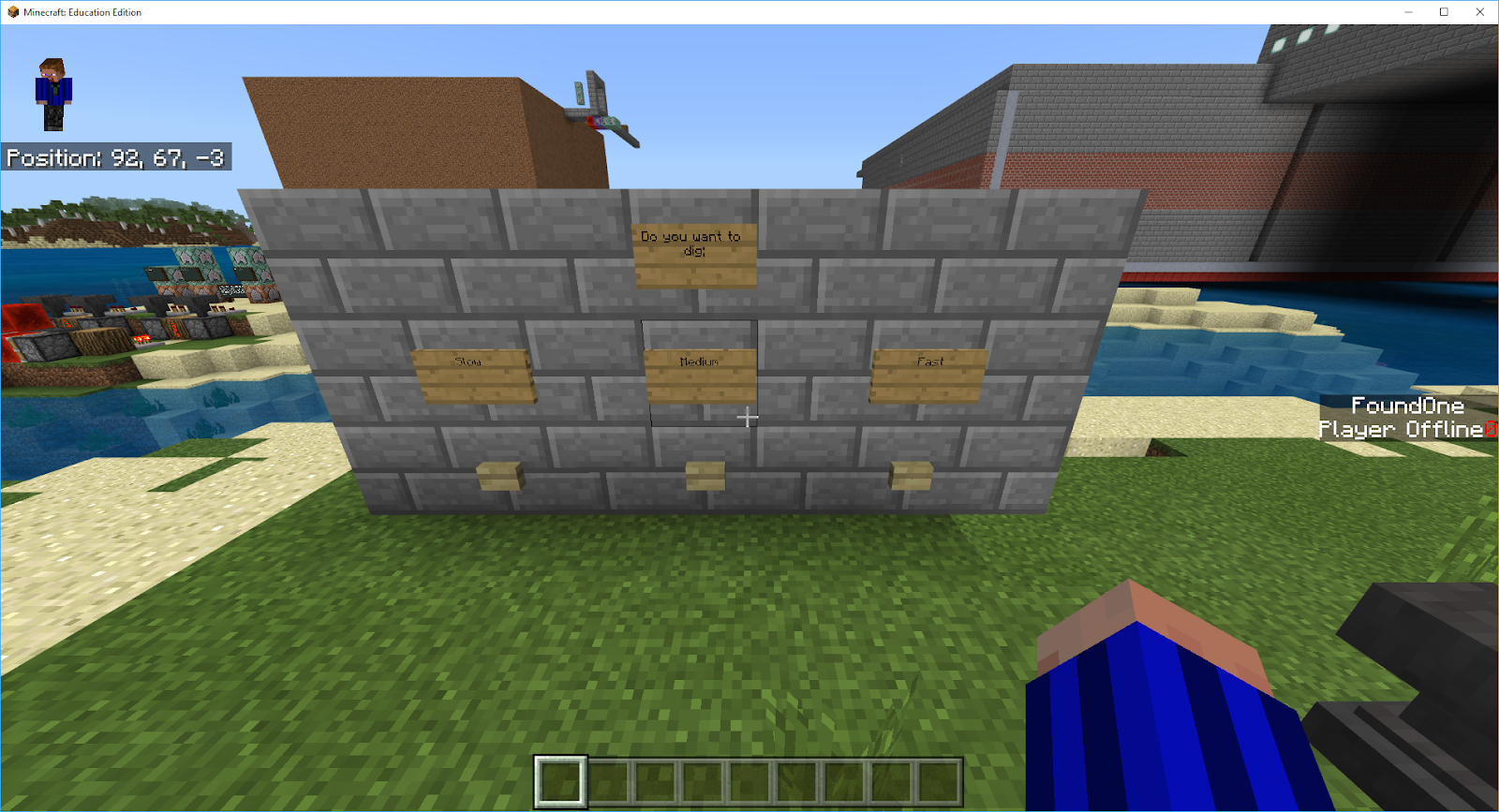
A way for students to choose how fast they would dig.


A way to 'uncover' what the found artefact was (analyse it) rather than just 'know' it straight away.


And, finally, a way to provide students with the information about each artefact that could support them in their goal of determining what the site was used for in the past.


Of course much of this, 'mechanically' speaking, has changed considerably over the development period, but the fundamental basis of it all is still there in some way, shape or form. I think the only things that have pretty much remained 'mechanically' the same is the security pass and check in and the analysis of items. But, this 'pre-alpha' demonstration set the scene (or at least the base of the possible scene) for what we could achieve in Minecraft for a room full of people who had never played before and really had no idea about what was possible.

With the 'raw' mechanics at least visible and planned out on a small scale, it was time to look at getting the data for Mini Melbourne itself, and that, my friends, is the topic of the Mini Melbourne Step 2 post. While you are waiting, I am sure with eager anticipation for that 'mouse scroller' (Is that the internet equivalent of a page turner?) to arrive, keep an eye on my YouTube channel for the video outlining each of these first mechanics, the reasoning and commands that make them work, and maybe even why I thought they were a good idea at the time.

As always, thanks for reading, and if you have any comments or questions, please feel free to leave them in the comments below, touch base on Twitter @EduElfie or even join our Discord: https://discord.gg/7fSQBdx.